

Dashboard Overview
The Alarm Analytics dashboard set is designed as a logical, guided workflow for understanding how alarms affect machine and fleet performance.
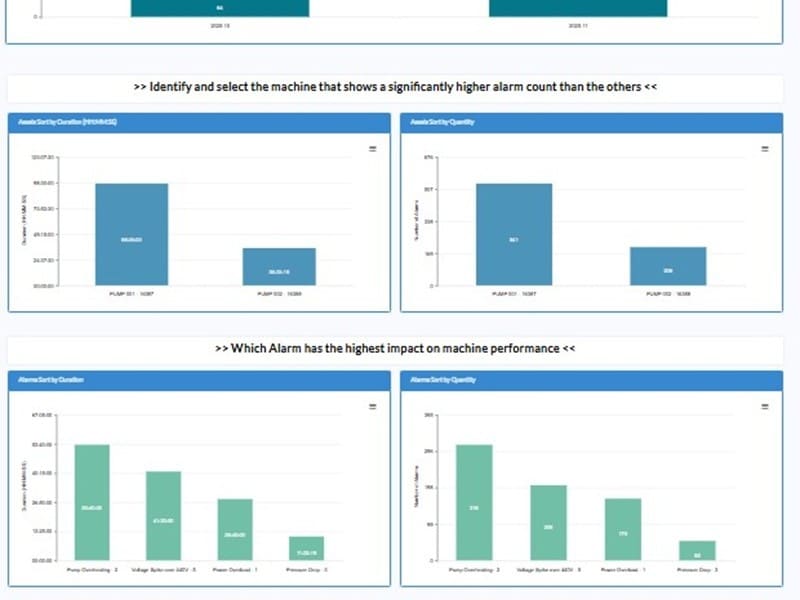
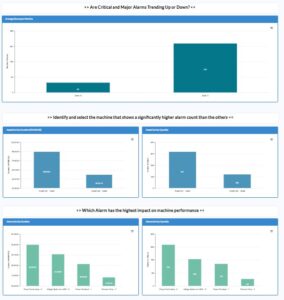
• The first dashboard (Alarm Analytics Main) offers a global view of alarm behavior across all machines. It helps users understand whether Critical and Major alarms are trending upward or downward, while also ranking machines by alarm duration and quantity. This allows operators to quickly identify which assets show significantly higher alarm activity than the rest.
• The second dashboard (Asset to Alarms) focuses on the selected machine. After identifying a problematic machine in the first dashboard, this view drills deeper to reveal which alarms have the highest impact on that machine, based on their quantity, duration, and severity. This helps determine which alarms require immediate attention and contribute most to performance degradation.
• The third dashboard (Alarm to Asset) reverses the workflow and begins from the selected alarm. It examines how that specific alarm behaves across multiple machines, showing whether its trend is increasing or decreasing and identifying which machine is most affected. This final step completes the root-cause analysis and supports targeted corrective actions.
Together, these three dashboards form a clear analysis sequence, enabling clear understanding of where alarms originate, how they propagate, and where they hurt performance the most.
Key Benefits
• Identify global alarm trends across the entire installed base.
• Detect machines with unusually high Critical or Major alarm activity.
• Highlight which alarms have the greatest impact on machine performance.
• Support faster root-cause analysis through a guided drill-down workflow.
• Enable targeted preventive maintenance actions based on alarm patterns.
• Improve uptime and reliability by focusing efforts on high-impact issues.
• Provide clear visual insights for operations, maintenance, and engineering teams.
Core Functionalities
• Fleet-Level Alarm Trend Monitoring: Real-time and historical charts show Critical and Major alarm trends across the entire fleet, enabling quick comparison between periods and detection of overall deterioration or improvement.
• Machine Ranking by Alarm Impact: Compare machines by alarm duration and quantity so that assets with abnormal or rising alarm levels stand out immediately for further investigation.
• Alarm Severity & Duration Analysis: Break down alarms by severity level and analyze both duration and count to understand their true impact on availability and performance.
• Guided Drill-Down Navigation: Start from the fleet-level view, select a machine with high alarm activity, and then drill into the specific alarms that drive downtime or performance loss.
• Reverse Drill-Down (Alarm → Assets): Begin from a problematic alarm and see how it behaves across different machines to identify where it is most frequent or longest in duration.
• Alarm Detail & Resolution Support: Display alarm name, severity, description, and recommended resolution steps, supporting standardization of responses and faster troubleshooting.
• Root-Cause & Performance Insights: Use the combined view of trends, ranking, and detail tables to support root-cause investigations, reduce repeat alarms, and improve MTBF and OEE-related metrics.

